MCP Server Integration

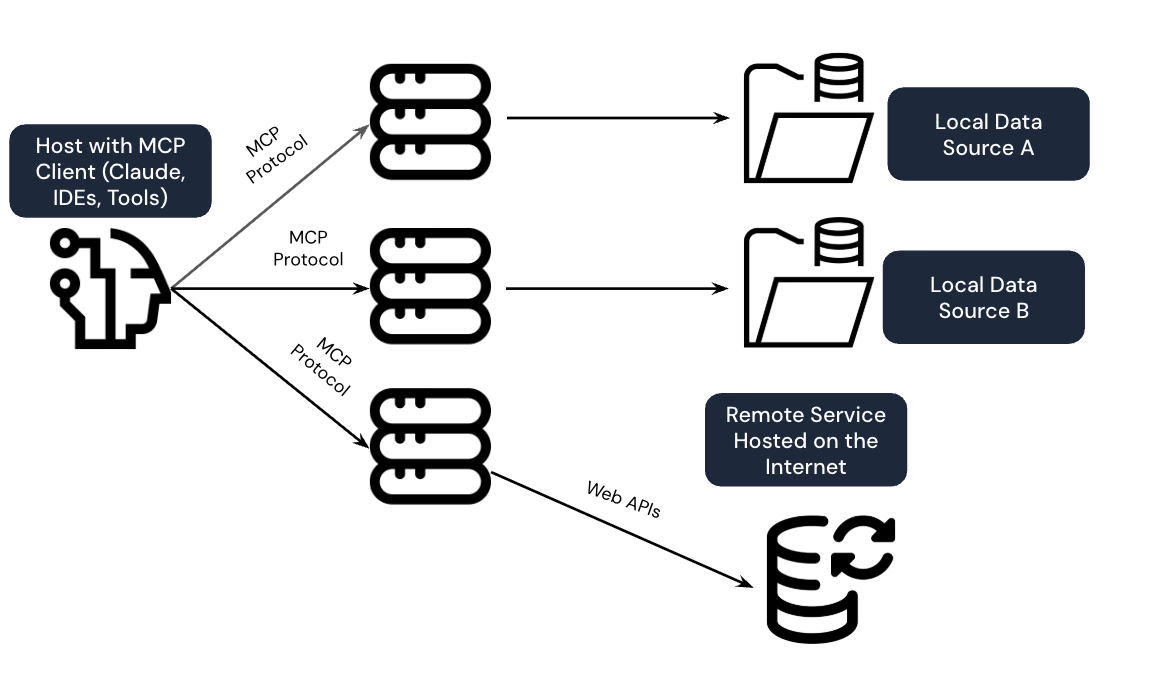
An AI agent is only as useful as the systems it can reach. Model Context Protocol gives you a standard way to expose your internal tools and data to an agent — without wiring a one-off integration for every model or client that needs access.

We build MCP servers around what the agent should be able to do — not what's technically possible to expose — so an agent gets exactly the tools and data it needs and nothing it doesn't.

Whether you're connecting Claude, GPT-based agents, or an internal framework to your systems, we design the server layer so access stays scoped, auditable, and easy to extend as new tools get added.

What We Set Up in Your MCP Environment

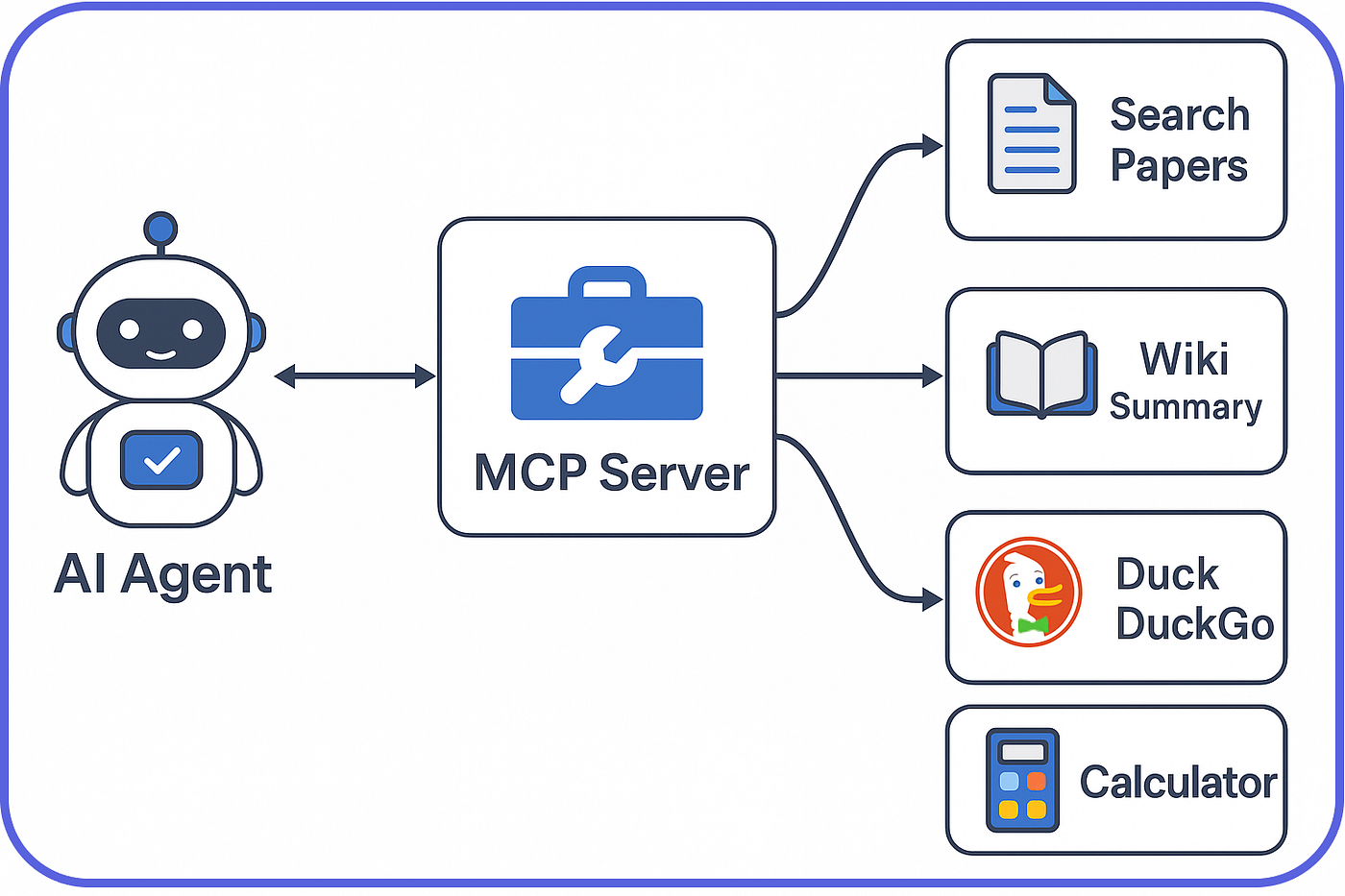
1. Scoped Tool Exposure: We define exactly which functions, queries, and actions an MCP server exposes to an agent — a narrow, deliberate surface instead of a wide-open API an agent could misuse.
MCP Server Integration

2. Custom Servers for Proprietary Systems: Off-the-shelf MCP connectors don't exist for most internal tools. We build custom servers that wrap your proprietary databases, internal APIs, and legacy systems so an agent can use them without you rebuilding those systems first.

3. Authentication and Access Boundaries: Every tool call is authenticated and scoped to what that specific integration is allowed to do — so an agent connected for read-only reporting can't quietly gain write access somewhere else.

4. Auditable Tool Calls: Every request an agent makes through an MCP server is logged — what was called, with what arguments, and what came back — so you can trace exactly what an agent did after the fact.

5. Built to Extend, Not Rebuild: New tools get added as new capabilities without re-architecting the server or re-integrating every client that already depends on it.

Why Choose Akantik for MCP Server Integration?

Giving an agent tool access is easy. Giving it the right tool access, scoped and audited, is the part most teams skip until something goes wrong. We build the boundary first.

Security-First Tool Design: We start from what an agent shouldn't be able to do, then build the server around that boundary — not the other way around.

Integration With Systems You Already Run: We've connected agents to legacy databases, internal REST APIs, and enterprise platforms that were never designed with AI access in mind.

Documentation Your Team Can Extend: Every MCP server we build ships with clear documentation, so adding the next tool doesn't require calling us back in.

Have systems an AI agent needs to reach but no safe way to connect them yet? Let's design the integration.

MCP Server Integration

MCP Server Integration - Frequently Asked Questions

Common questions about connecting AI agents to your systems with Model Context Protocol.

What is an MCP server?

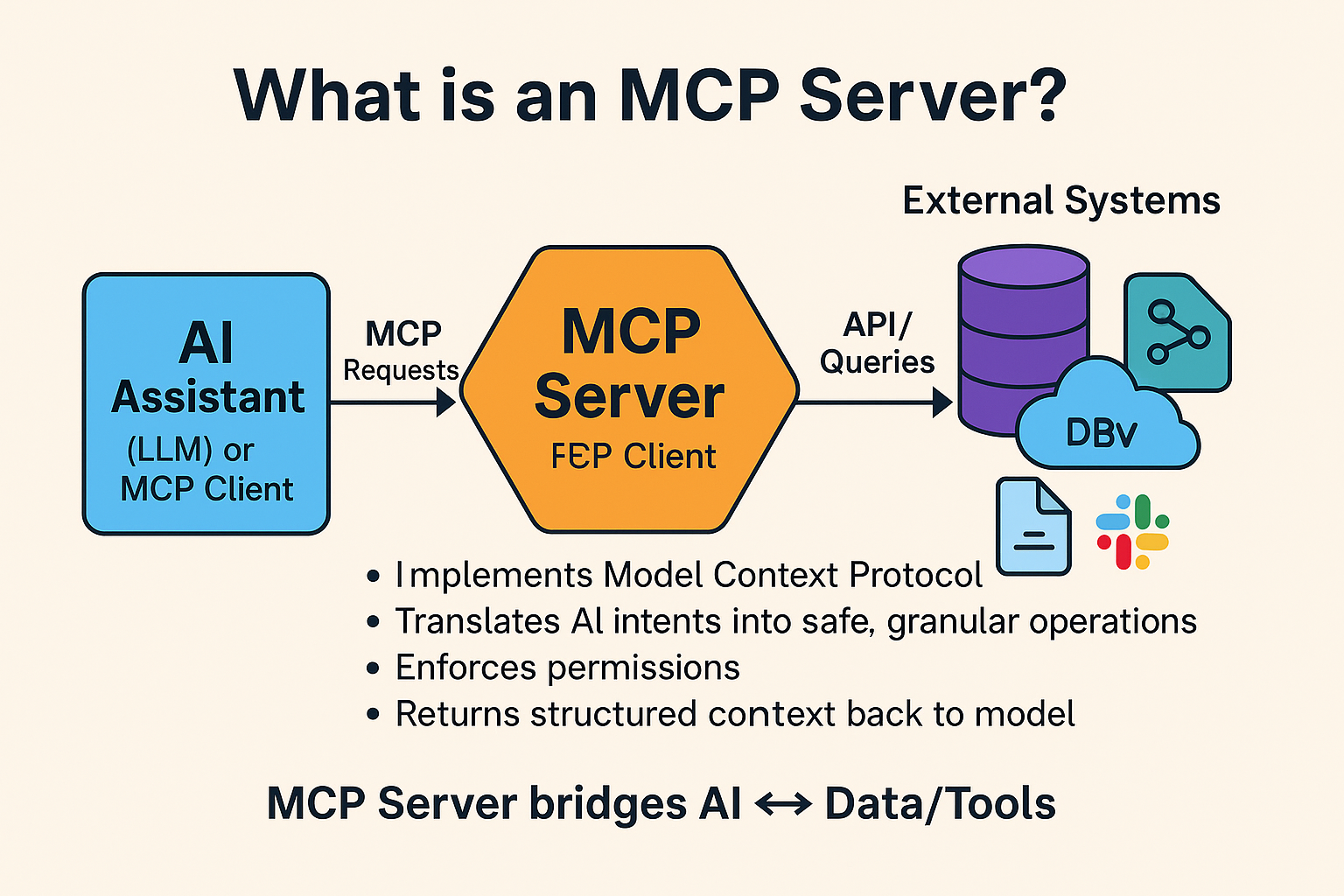
An MCP (Model Context Protocol) server is a standardized interface that exposes specific tools, data sources, or actions to an AI agent or LLM client.

It lets an agent call defined functions instead of being given broad, unrestricted access to a system.

Why not just give an AI agent direct database or API access?

Direct access means an agent can do anything the underlying credentials allow, which is a large and often unintended blast radius.

An MCP server narrows that down to specific, reviewed actions, and logs every call, so access stays scoped and auditable.

Can Akantik build an MCP server for our proprietary internal system?

Yes, we build custom MCP servers that wrap proprietary databases, legacy applications, and internal APIs, exposing only the specific capabilities an agent needs while keeping the rest of the system inaccessible.

Which AI clients work with MCP servers?

MCP is an open standard supported by Claude, and adoption is growing across other agent frameworks and LLM clients.

Akantik builds servers to the MCP specification so they work with any compliant client, not just one vendor's tooling.

How does Akantik keep MCP integrations secure?

We scope every tool to the minimum access it needs, authenticate every call, and log all requests and responses.

Sensitive actions can require additional approval steps rather than executing automatically.

Hire Us