AI-Powered Workflow Automation

Most workflows aren't slow because a step is hard — they're slow because someone has to read a document, make a judgment call, and re-type the result into another system. AI workflow automation puts that judgment call inside the workflow itself.

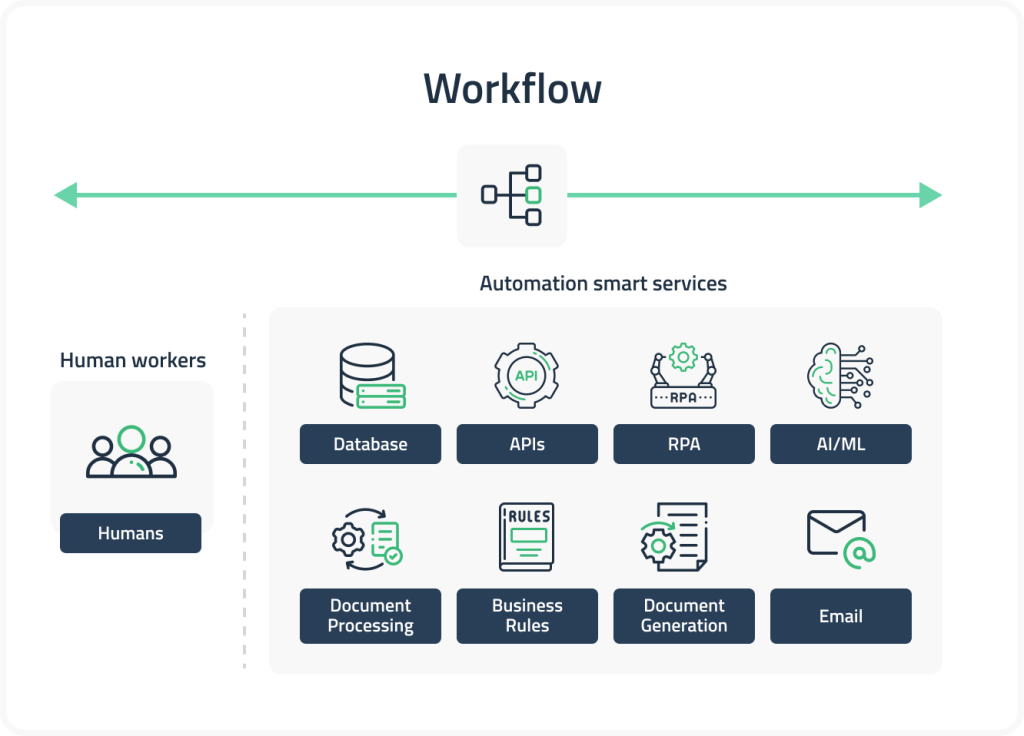
We don't replace your process with a black box. We combine LLM reasoning with deterministic steps — approvals, data lookups, validations — so the parts that need to be exact stay exact, and the parts that need judgment stop waiting on a person's queue.

Whether it's an invoice sitting in an inbox, a ticket waiting to be routed, or a new hire waiting on five different systems to be provisioned, we build the automation around the workflow you actually run today.

What We Set Up in Your Workflow

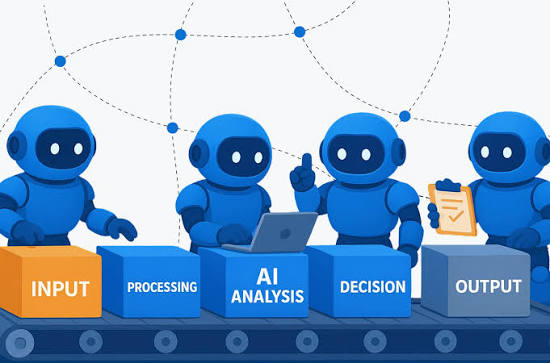
1. Document and Request Understanding: The AI reads incoming invoices, forms, emails, or tickets and extracts what matters — amounts, dates, intent, priority — instead of a person opening each one to figure out what it's asking for.
AI Workflow Automation

2. Deterministic Steps Where It Matters: Approval thresholds, validation rules, and required fields are enforced in code, not left to a model's best guess — the AI decides what needs review, not whether a rule gets followed.

3. Routing Without a Human Dispatcher: Requests get sent to the right queue, team, or system automatically based on content and priority — so nothing sits waiting for someone to triage it first.

4. Cross-System Handoffs That Don't Need Copy-Paste: Data flows directly between the systems involved — CRM, ERP, ticketing, email — instead of a person moving it by hand between tabs.

5. Exception Handling Built In: Low-confidence or unusual cases get flagged for a person automatically, so the workflow degrades gracefully instead of silently doing the wrong thing.

Why Choose Akantik for Workflow Automation?

An automation that only handles the easy cases isn't automation — it's a demo. We build for the exceptions too, because that's where the manual work was actually happening.

Built Around Your Actual Process: We map the workflow as it really runs — including the workarounds — before automating any of it, instead of forcing your process into a generic template.

Integrated, Not Bolted On: The automation lives inside the systems your team already uses, so there's no new tool to check on the side.

Measured From Day One: We track what's automated, what's escalated, and where time is actually being saved, so the impact is visible, not assumed.

Have a workflow that eats hours every week? Let's find the automation hiding in it.

AI Workflow Automation

AI Workflow Automation - Frequently Asked Questions

Common questions about embedding AI into business workflows and processes.

What is AI workflow automation?

AI workflow automation embeds AI decision-making into existing business processes.

  • Reading documents and extracting key information
  • Routing requests to the right team automatically
  • Making judgment calls that previously required a person
  • Deterministic rules still govern approvals and validations
How is this different from traditional RPA (Robotic Process Automation)?

Traditional RPA follows rigid, rule-based scripts that break when a form layout or process changes slightly.

AI workflow automation uses language models to understand intent and content, so it adapts to variation instead of failing on anything outside a predefined pattern.

What business processes are good candidates for AI automation?

Good candidates involve reading or classifying unstructured input and routing or acting on it:

  • Invoice and document processing
  • Support ticket triage and routing
  • Employee onboarding workflows
  • Email and request classification

High-volume, repetitive judgment calls see the fastest payoff.

How does Akantik handle errors or edge cases in automated workflows?

We build confidence thresholds into every automation:

  • Low-confidence cases are flagged and routed to a person
  • High-confidence cases process automatically
  • Every automated decision is logged for review
How long does it take to automate a workflow?

Timelines depend on complexity:

  • Simple routing workflows: 3-6 weeks
  • Multi-system workflows with integrations: 8-12 weeks

Akantik delivers in stages so you see automation working on real cases early.

Hire Us